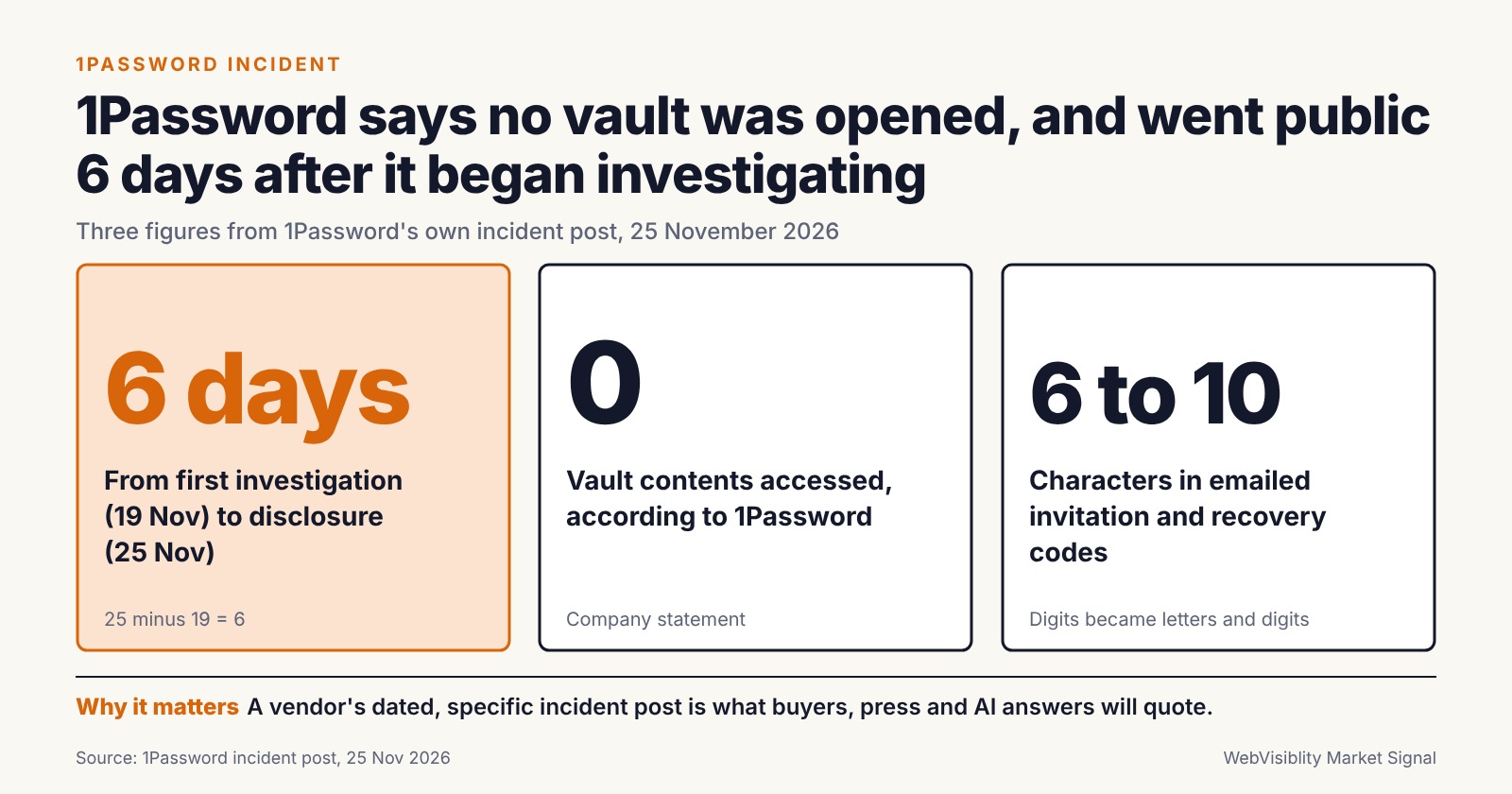
1Password says an attacker used an employee's corporate GitHub account to push malicious code into its backend services and download account records for a subset of customers. The company says vault contents were never accessed or available to the attacker. It disclosed the incident on 25 November, six days after it began investigating on 19 November.
At a glance
| Investigation began | 19 November 2026, after signs that an employee's GitHub account was compromised |
|---|---|
| Disclosed | 25 November 2026, in a post by 1Password |
| Taken | Account records for a subset of users: names, emails, identifiers and sign-in times |
| Not affected | Vaults, the items in them and the keys that protect them, plus the apps and browser extensions |
| Also copied | Source code from private repositories, and access to the CI/CD system |
| Not disclosed | How many customers were affected, and how the GitHub account was compromised, were not stated |
Do this today
Tick each step as you do it. Your ticks stay on this device. See the full list.
For marketers
For software buyers and IT teams
The signal
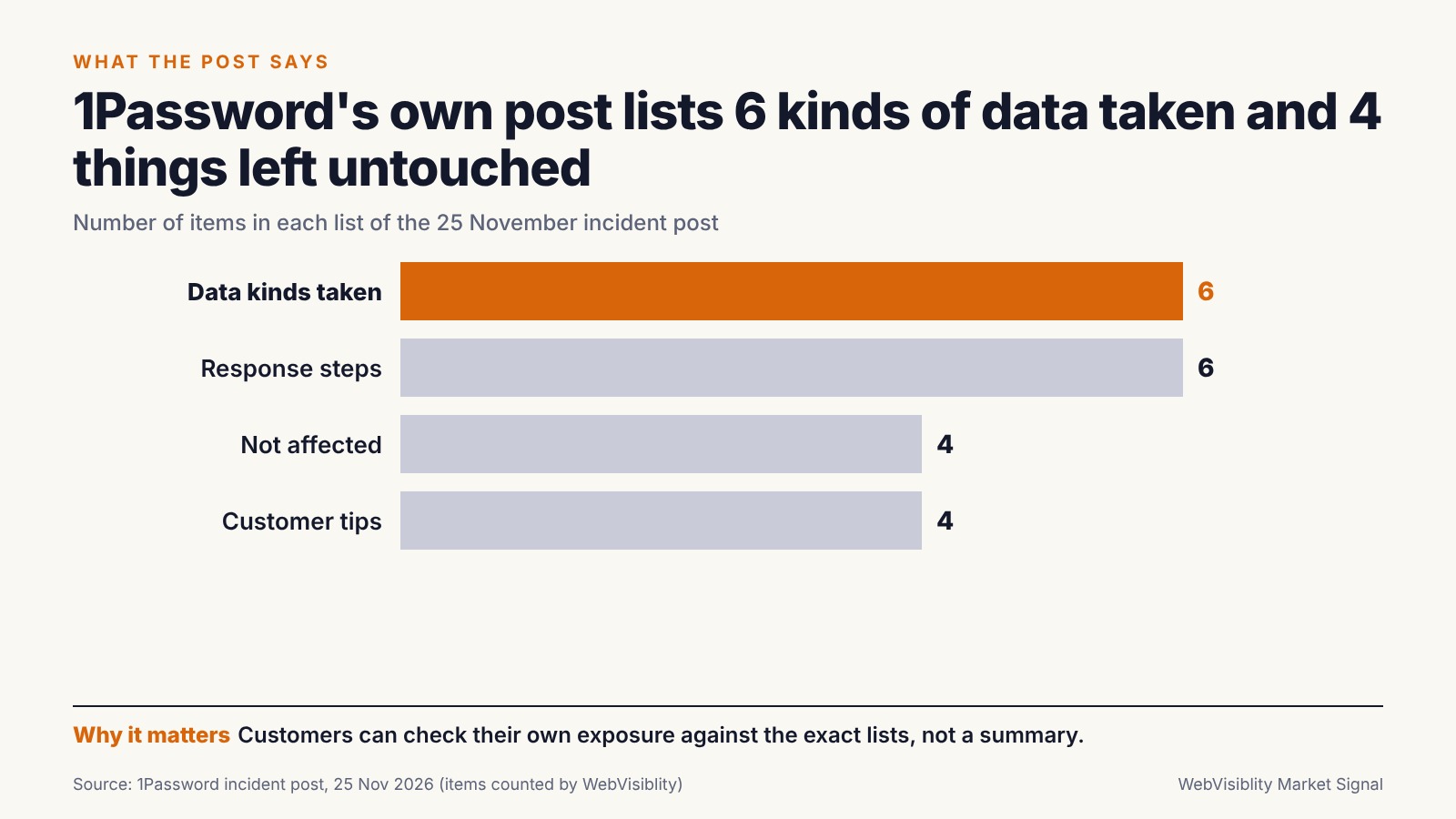
- The attacker copied names, email addresses, account identifiers and sign-in times for a subset of users.
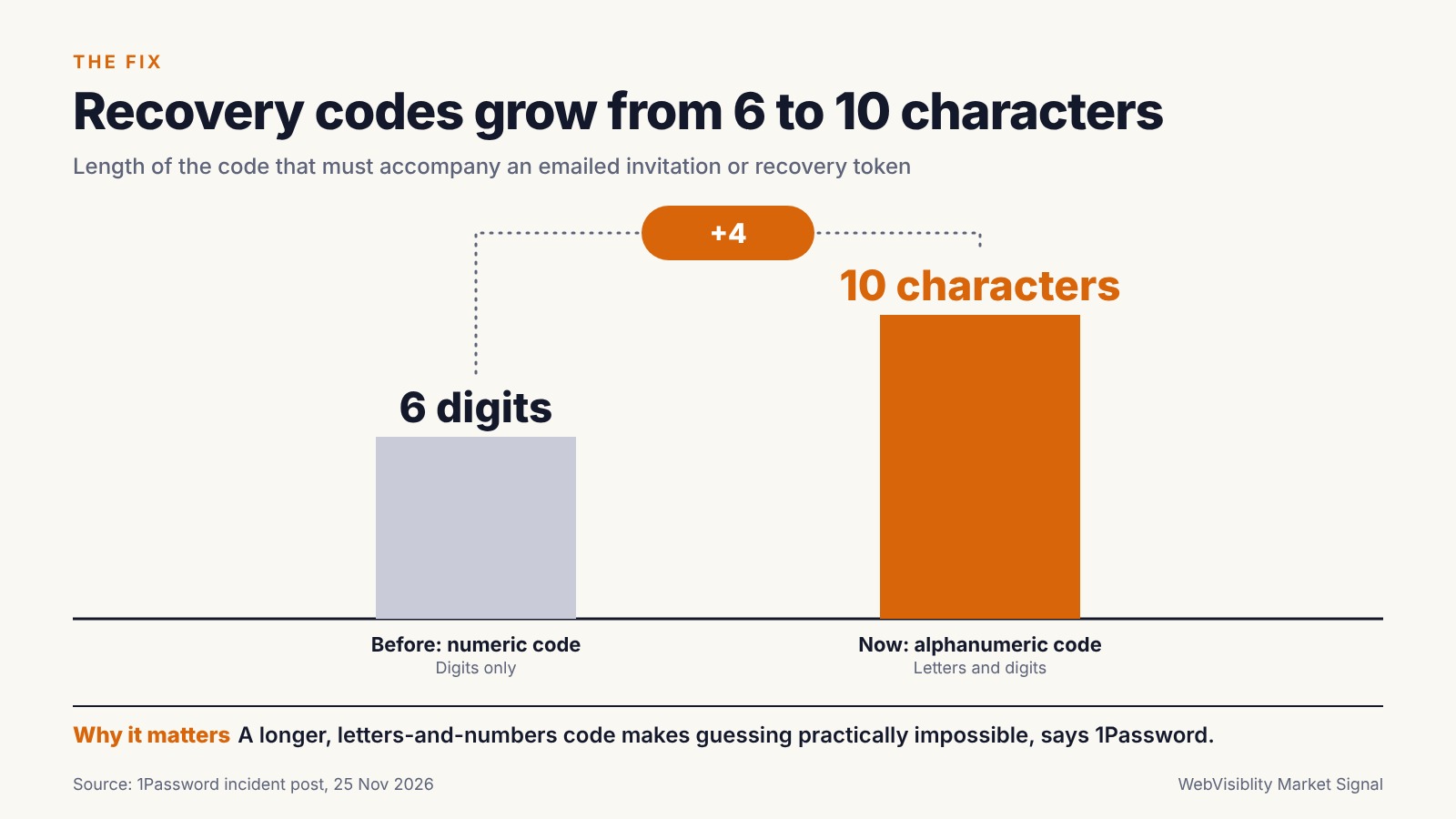
- Tokens from certain emailed invitation, provisioning and recovery links were also taken. 1Password says they cannot open an account on their own.
- Vaults, the items in them and the keys that protect them were not affected, according to 1Password.
- The attacker also copied source code from private repositories and reached the CI/CD system, so 1Password rotated credentials that may have been exposed.
- 1Password did not say how many customers were affected, or how the employee's GitHub account was compromised.
- Emailed codes grew from six digits to ten characters, and customers are told to watch for phishing.
Which of these are you?
Tap the one that fits you best. We show what this story changes for you.
What happened
1Password began investigating on 19 November after indications that an attacker had reached an employee's corporate GitHub account. The attacker used the account to read source code and push malicious code to backend services, and that code downloaded administrative data about customers. The stolen records cover names and email addresses, account and user identifiers, account creation and last sign-in times, public keys, Secure Remote Password parameters and some tokens used in emailed invitation, provisioning and recovery links. 1Password says the tokens only work together with an SSO sign-in or a code sent to the user's registered email, and that a small number of users in that state were notified directly. It found no internal evidence of account takeovers using them. The response, in 1Password's words, was to disable the GitHub account, revoke the stolen token, rotate exposed credentials, tighten controls, add detections and bring in independent experts. 1Password serves more than 200,000 businesses.
By the numbers
Timeline
1Password begins investigating a compromised employee GitHub account.
1Password publishes its incident post; TechCrunch, SiliconANGLE and BleepingComputer report it the same day.
“Customer vaults were not accessed and remain secure.”
Who is affected
Expect phishing that mentions invitations or account recovery, and tell staff what 1Password will never ask.
Shared logins for ad, CRM and social tools make staff names and emails a likely phishing target.
Update the vendor file: what was taken, what was not, and that the count of customers is not disclosed.
A small number with pending invitations or recovery were notified directly; check your inbox and admin console.
Why it matters
The phishing risk lands on your own team. The stolen records tie names to email addresses, so attackers can write convincing messages about invitations or account recovery. 1Password warns of unexpected emails, texts or calls that mention 1Password, invitations, or account recovery, and says it will never ask for a password or Secret Key. Marketing and sales teams hold many shared logins, which makes them a likely target.
How a vendor words its incident becomes part of its reputation. The 1Password post is dated, lists what was and was not taken, and says what changed. Buyers who ask ChatGPT, Perplexity or a search engine about a vendor's security record may meet the incident inside the answer, so the vendor's own wording is what those answers can quote. 1Password says it will keep the post current. For AI visibility, a clear and updated statement page matters as much as the product pages.
Code access is a business risk, not only an engineering one. The entry point was a GitHub account, and the company did not say how it was compromised. Teams that run websites, docs or campaign pages from code repositories should check who holds that access.
How the attack reached customer records
- Step 1Account reached
The attacker gained access to an employee's corporate GitHub account.
- Step 2Code pushed
The account was used to read source code and push malicious code to backend services.
- Step 3Records downloaded
That code downloaded administrative data about customers, not vault contents.
- Step 4Access cut
1Password disabled the account, revoked the token and rotated credentials.
What to do now
For marketers
- Warn your team that emails, texts or calls mentioning 1Password invitations or recovery are suspect until verified.
- Ask ChatGPT and Perplexity what they say about your own company's security record, and check the answer is accurate and current.
- Prepare a dated incident statement template: what happened, what was and was not affected, what changed, when it will be updated.
- Check who can change your website and campaign repositories on GitHub, and remove access that is not needed.
For software buyers and IT teams
- Add the 25 November incident to your 1Password vendor file, with what was taken and what was not.
- Tell staff to open the 1Password app or type the address themselves instead of using links in emails.
- Ask your 1Password contact for the number of affected accounts and whether any of yours were included.
Printable, one page, 10 checks. Enter your email and it opens right away.
We email you a copy. We never share your email and never send you sales emails.
Pick one. It takes 5 seconds and helps more people find these briefings. Your checklist opens straight after.
Have a work email? Use it instead and the checklist opens straight away.
Open it, then save it as a PDF or print it.
Know someone who would find this useful?
These steps are our recommendations based on this news, not statements from the companies involved.
What to watch
- Customer count. Neither 1Password nor the first reports gave how many customers had records downloaded.
- The cause. How the employee's GitHub account was compromised was not explained.
- Phishing campaigns. Whether anyone uses the stolen names and emails. 1Password has no evidence of takeovers so far.
- Post updates. 1Password says it will update its post if it learns anything that changes what it has said.
Questions readers ask
What happened in the 1Password security incident?
1Password says an attacker used an employee's corporate GitHub account to push malicious code to backend services and download account records for a subset of customers. It began investigating on 19 November and disclosed the incident on 25 November.
Were my 1Password passwords or vaults stolen?
No, according to 1Password. It says vaults and the items in them were not affected, nor were the keys that protect them. 1Password does not store account passwords or Secret Keys.
What customer data did the attacker take?
Names, email addresses, account and user identifiers, account creation and last sign-in times, public keys, SRP parameters, tokens in some emailed links, and other non-secret account metadata.
Do I need to change my 1Password password?
The post does not tell customers to change passwords. It asks them to watch for phishing and keep their Secret Key and password safe. Contact support@1password.com about anything suspicious.
How can I spot phishing after the 1Password incident?
Treat unexpected emails, texts or calls that mention 1Password, invitations or account recovery as suspect. 1Password will never ask for your password or Secret Key; open the app or type the address yourself.
How many customers were affected?
Not stated. 1Password described it as a subset of users and gave no number; the first reports also note no figure was given.
What should a B2B vendor learn from how 1Password disclosed this?
Say what was taken and not taken, give dates, list the fixes and promise updates, as 1Password's post does. Keep one dated page that buyers, press and AI assistants can quote.
Companies in this story
Sources
Researched, fact-checked and edited by the Market Signal desk. Read our editorial standards. Spotted an error? Email hello@webvisiblity.com and we will correct it.